
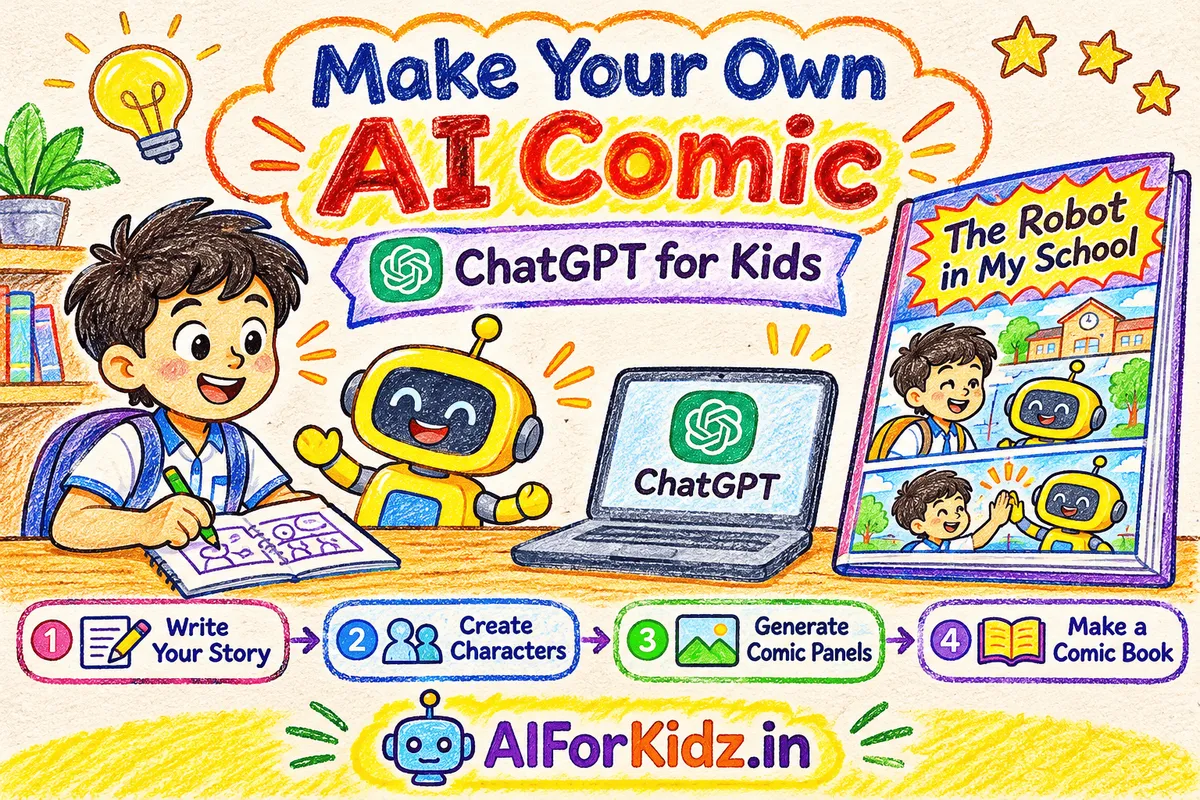
Have you ever imagined creating your own comic book, with characters you design and a story that comes straight from your imagination?
Maybe you want to create a superhero who saves the world, a student who discovers a secret robot inside their school, or two friends who go on an unforgettable adventure.
But creating a comic traditionally requires drawing characters, designing backgrounds, writing dialogues and arranging everything into different panels.
What if you could get help with all these creative tasks without being an expert artist?
That's where Artificial Intelligence (AI) comes in!
With ChatGPT's writing and image-generation capabilities, you can brainstorm a story, design characters, generate illustrations and turn your ideas into a comic book.
In this guide, we'll walk through the complete process using a practical example: a curious schoolboy named Aarav who discovers a friendly robot named Roboto hiding inside his school.
You'll also find ready-to-use ChatGPT prompts that you can experiment with to create your own comic.
Let's turn your imagination into a comic book!
What Is an AI Comic?
An AI comic is a comic story created with the assistance of artificial intelligence tools.
A traditional comic usually involves writing a story, designing characters, drawing scenes, adding dialogues and arranging illustrations into comic panels.
AI tools can help with many of these tasks. For example, ChatGPT can help you brainstorm story ideas, develop characters, write dialogues and generate illustrations when image generation is available.
You can also use design tools to arrange your illustrations into a complete comic book.
But here's something important: AI doesn't decide what your story should be. You provide the ideas, instructions and creative direction.
Think of AI as your creative assistant, while you remain the author of your comic.
What Do You Need to Create Your Own AI Comic?
You don't need advanced drawing skills, coding knowledge or professional design experience to get started.
| Requirement | Purpose |
|---|---|
| ChatGPT | Story writing, character development and image generation |
| A creative idea | The foundation of your comic |
| Character descriptions | To establish how your characters look |
| Clear prompts | To communicate your ideas to AI |
| Canva or another design tool | To arrange and refine the final comic pages |
Note: ChatGPT features and image-generation availability may depend on your account and current usage limits.
Step 1: Create Your Own Comic Story Using ChatGPT
Every great comic starts with an interesting story.
Before creating images, decide what your comic will be about.
- Who is the main character?
- Where does the story take place?
- What interesting event happens?
- What problem does the character face?
- How does the story end?
For our example, let's create a story about a schoolboy who discovers a friendly robot secretly living inside his school. We'll call our characters Aarav and Roboto.
Now open ChatGPT and give it a clear instruction.
Copy-Paste ChatGPT Prompt: Generate Your Comic Story
Create a short and fun comic book story for students aged 10–15. The story should be about a student who discovers a friendly robot secretly living inside their school. Give me six scenes. For each scene, write: 1. What happens in the scene. 2. Which characters are present. 3. The dialogue between the characters. 4. The emotions and expressions of the characters. Keep the language simple, funny and engaging. Give the story an interesting beginning, middle and ending.
Once you submit the prompt, ChatGPT will generate a story divided into six scenes.
For example:
Scene 1: A Strange Discovery
Aarav opens an old cupboard inside his school and discovers a small yellow robot hiding inside.
Aarav: "Wait! You're a robot?"
Roboto: "Shhh! Please don't tell anyone!"
Scene 2: An Unexpected Surprise
Roboto accidentally switches on all the classroom lights.
Aarav: "What did you just do?"
Roboto: "Oops! I think I pressed the wrong button!"
You can ask ChatGPT to make the story funnier, add a surprise ending or introduce another character.
Creative tip: Don't accept the first story automatically. Experiment until you have a story you genuinely like.
Step 2: Create Your Own Comic Characters Using AI
Now that your story is ready, it's time to create its characters.
A good comic needs recognisable characters. Readers should be able to identify them throughout the story.
For our example, we'll create two characters:
- Aarav: A curious 12-year-old Indian schoolboy wearing a blue school uniform.
- Roboto: A small, friendly yellow robot with expressive eyes and a playful personality.
We want these characters to maintain a similar appearance in every scene.
To achieve this, we'll create a character reference sheet. A character reference sheet is a collection of views and expressions that helps establish how a character should look.
Copy-Paste ChatGPT Prompt: Design Your Characters
Create a colourful 2D cartoon character reference sheet for a children's comic book. Include two characters: Character 1: Aarav, a curious 12-year-old Indian schoolboy wearing a blue school uniform. Character 2: Roboto, a small, friendly yellow robot with expressive eyes and a playful personality. Show front and side views of both characters, along with different facial expressions. Use a bright, playful children's comic book style with clean outlines, simple shapes and a plain background. Keep both character designs clear, attractive and recognisable.
ChatGPT will generate a character illustration based on your description.
Review it carefully. If you want to change something, ask ChatGPT to modify the character's appearance, clothing, expressions or accessories.
Important: Save your approved character reference sheet. You'll need it when creating the comic panels.
Step 3: Generate Comic Panels Using ChatGPT
Now comes the most exciting part!
We have our story and characters. It's time to turn individual scenes into comic illustrations.
A comic panel is one illustrated section of a comic book that represents a particular moment in the story.
For example, imagine Aarav opening an old cupboard and discovering Roboto hiding inside. That moment becomes our first comic panel.
Upload or select your approved character reference image when creating the illustration.
Copy-Paste ChatGPT Prompt: Generate Your First Comic Panel
Create a colourful children's comic book panel using the provided character reference images. Scene: Aarav opens an old cupboard inside his school and discovers Roboto hiding inside. Aarav looks shocked, while Roboto looks nervous and surprised. Add a speech bubble where Aarav says: "Wait! You're a robot?" Use a fun 2D cartoon style, expressive character faces, clean outlines and bright colours. Maintain the appearance of both characters from the reference images.
ChatGPT will generate an illustration based on your instructions.
Now, repeat this process for the remaining scenes.
How to Create More Comic Scenes
Here's an interesting trick. You don't need to rewrite the complete character description every time.
Keep using your approved character reference images and the same visual style instructions. Simply change the scene and dialogue according to your story.
Scene 2: Roboto Accidentally Switches on the Lights
Using the same character references and visual style, create a colourful comic panel where Roboto accidentally switches on all the classroom lights. Aarav looks surprised and says, "What did you just do?" Roboto looks confused and says, "I think I pressed the wrong button!"
Scene 3: Aarav Helps Roboto
Using the same character references, create a comic panel where Aarav helps Roboto repair a small broken part. Both characters look happy and excited. Add a speech bubble where Roboto says, "You're my new best friend!"
Continue creating illustrations for the remaining scenes.
How to Maintain Consistent Characters in AI Comics
One common challenge when creating AI comics is character consistency. Sometimes the same character may look slightly different in different images.
Here are some ways to reduce this problem:
- Create a character reference sheet before generating panels.
- Reuse the same reference images whenever possible.
- Repeat important character descriptions in your prompts.
- Maintain the same illustration style throughout the comic.
- Review every panel and regenerate images that don't match your characters.
Remember, AI-generated images may not always follow every instruction perfectly. Review the illustrations before adding them to your comic.
Step 4: Arrange Your Comic Panels into a Complete Comic Book
Congratulations! You now have your story, characters and individual comic illustrations.
But there's one problem: all your comic panels are separate images.
How do you turn them into a complete comic book?
The next step is to arrange them into pages.
For our example, we'll create a six-page children's comic titled "The Robot in My School".
Your comic book should include:
- A colourful cover page.
- Story panels in the correct sequence.
- Clear dialogues and speech bubbles.
- Interesting sound effects.
- Consistent character appearances.
- A satisfying ending.
You can ask ChatGPT to help organise your story and panels.
Copy-Paste ChatGPT Prompt: Create Your Complete Comic Book
Using the story and comic panels we created, help me organise a complete six-page children's comic book. The title should be "The Robot in My School". Create: 1. A colourful cover page with the comic title. 2. Story pages with the comic panels in the correct order. 3. Clear speech bubbles and character dialogues. 4. Fun sound effects such as BOOM!, WOW! and ZAP! 5. A simple, colourful layout that is easy for children to read. Maintain consistent character appearances and make sure the story flows naturally from beginning to end. Use the previously generated illustrations as references wherever possible.
ChatGPT can help organise the story and generate or revise visual layouts, depending on the available features.
For a more polished final result, you can also arrange the individual illustrations in Canva or another design editor.
Add your speech bubbles, adjust the panel sizes and check that the story flows naturally.
Remember: AI-generated text inside images can sometimes contain spelling errors or unreadable lettering. It's often better to add or correct speech bubbles separately in your design editor.
Finally, export your comic pages as a PDF so you can share or print your creation.
Step 5: Give Your Comic Book a Creative Touch
Your comic is almost ready! Before sharing it with your friends and family, give it your own creative touch.
- Create an attractive cover: Give your comic an interesting title and show its main characters.
- Add your name: Include a small line such as "Created by [Your Name]" on the cover.
- Check the dialogues: Make sure the speech bubbles are readable and conversations make sense.
- Add sound effects: Words such as BOOM!, ZAP!, WHOOSH! and POP! can make your comic more exciting.
- Review the complete story: Read your comic from beginning to end and check whether every scene connects properly.
And that's it! You've just turned an idea into your own AI-assisted comic book.
Try These 3 Fun AI Comic Challenges!
Now that you've learned how to create an AI comic, it's your turn to experiment.
Challenge 1: The Time-Travel Machine
Imagine a student discovers a machine that can travel through time. What happens when they accidentally travel 100 years into the future? Create a comic with at least five scenes.
Challenge 2: The Talking School Bag
Imagine your school bag suddenly starts talking! What would it say about your homework, books and school life? Create a funny comic featuring your talking school bag.
Challenge 3: The Superhero of My Classroom
Imagine one student in your classroom has a secret superpower. What is the superpower? How does the student use it to help others? Create your own superhero comic.
Bonus challenge: Ask a friend or family member to suggest a character. Then create a comic together!
What Can Kids Learn by Creating AI Comics?
Creating an AI comic isn't just about generating colourful illustrations. It can also introduce children to several useful skills.
| Skill | How the Activity Helps |
|---|---|
| Creativity | Children imagine characters, settings and new stories. |
| Storytelling | They organise ideas into a beginning, middle and ending. |
| Communication | They practise writing dialogues and clear instructions. |
| Critical thinking | They review AI-generated content and identify mistakes. |
| Digital literacy | They learn how AI tools support creative work. |
| Problem-solving | They improve prompts when results aren't as expected. |
For example, when a child asks ChatGPT to change a character's expression or improve a story ending, they're practising how to communicate an idea and evaluate the result.
This is an important part of learning to use AI.
The goal isn't to let AI do all the creative work. It's to help children become better thinkers and creators.
Is It Safe for Kids to Create Comics Using ChatGPT?
AI can be a useful creative tool, but children should learn to use it responsibly.
- ChatGPT is not intended for children under 13.
- Children aged 13–18 need parental consent to use ChatGPT.
- For educational use with children under 13, an adult must conduct the actual interaction with ChatGPT.
- Never share personal information such as home addresses, phone numbers, passwords or school account details.
- Review AI-generated stories and illustrations before using them.
- Avoid creating images or stories that bully, embarrass or harm real people.
- Encourage children to write their own ideas instead of copying everything generated by AI.
Parents and teachers can turn this into a shared creative activity by helping children plan their stories, review their prompts and evaluate the finished comic.
For more guidance, read our article: How to Use ChatGPT for Homework Without Cheating.
You can also explore: What Is ChatGPT? How It Works and How Kids Can Use It.
For the latest usage requirements, refer to OpenAI's official guidance on ChatGPT and age requirements.
Watch: Make Your Own AI Comic Using ChatGPT
Want to see the complete process in action?
In this practical tutorial, we show you how to create a comic story, design characters, generate comic panels and arrange your own comic book using ChatGPT.
Follow the demonstration and experiment with your own characters, prompts and story ideas.
Don't just watch the video. Try creating your own comic alongside the tutorial!
Frequently Asked Questions About Creating AI Comics
1. Can I create my own comic book using ChatGPT?
Yes. ChatGPT can help you brainstorm a story, develop characters, write dialogues and generate illustrations when image generation is available. You can then arrange the illustrations into a comic book using a suitable design tool.
2. Do I need drawing skills to create an AI comic?
No advanced drawing skills are required. AI image-generation tools can create illustrations from written instructions. However, you should still review and arrange the images to create a complete comic.
3. Can ChatGPT generate comic book characters?
Yes. You can describe your characters' appearance, clothing, expressions and personalities. ChatGPT can help generate character illustrations when image generation is available.
4. How can I keep my comic characters consistent?
Create a character reference sheet and reuse the same reference images when generating different scenes. Repeat important character details and maintain a consistent visual style. AI may still introduce differences, so review each illustration.
5. Can I create a comic book for a school project?
Yes. Creating an AI comic can be a creative school activity involving storytelling, communication and digital literacy. Follow your teacher's instructions and school policies regarding AI use.
6. Is ChatGPT free for creating AI comics?
ChatGPT has different plans and feature limits. Image-generation availability and usage limits depend on the current plan and account. Check the official ChatGPT website for updated details.
7. Can I print my AI comic book?
Yes. Arrange your comic illustrations into pages using a design tool and export the final project as a PDF. Before printing, check the page dimensions, image quality and text readability.
8. What is the best AI activity for kids who enjoy storytelling?
Creating an AI comic is one engaging activity. Children can also experiment with interactive stories, character design, digital posters and AI-assisted storybooks with appropriate adult guidance.
Final Thoughts: Your Imagination Is the Starting Point!
Creating a comic book doesn't have to be difficult.
You don't need to be a professional artist or an experienced writer to start telling your own stories.
With a creative idea, clear instructions and the help of AI tools, you can experiment with characters, build interesting scenes and create your own comic book.
But remember, the most important part of this activity isn't the AI-generated illustration.
It's your imagination!
AI can help bring your ideas to life, but the story, creativity and decisions should come from you.
So, pick your characters, create an exciting story and start making your own AI comic today!
Have fun creating, experimenting and learning with AI!
Explore more practical AI activities, coding projects and technology guides at AIForKidz.in.